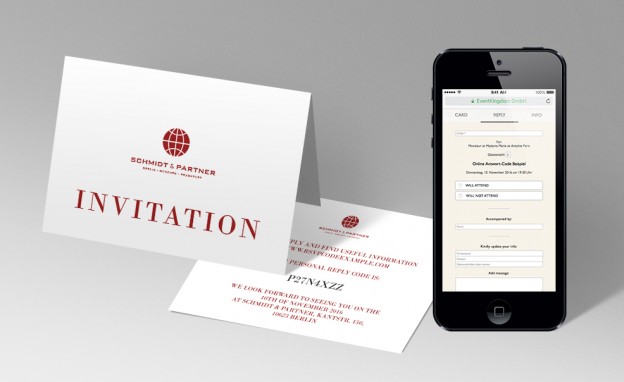
Personalized Codes for Online Replies (RSVP)
Personalized codes are very helpful when you:
1. Secure Access to events
- want to secure access to your event so only your guests can visit your event and view the online registration options and see the event information.
2. Identify your guests
- want to be able to identify your guests for personalization and guest management reasons, e.g. for multi event invitations if only some guests are invited to specific events.
3. Guests contingents
- Allow certain guests (companies) to register a defined number of guests by handing out codes.
Example Event with Codes
Please visit the example domain www.rsvpcodeexample.com and use the code J7WXXGG4. You will see that this code is for: Ms. Daniela London. Only she can reply to this invitation.
The event link can be chosen as needed.
Reply codes can be used for all sorts of events, private or business, single or multiple events when using www.eventkingdom.com.
HOW TO:
1. Setup
You start by setting up your online invitation for free, which includes at least one card and the reply page.
2. Test
You can test your online invitation by sending email invitations for free from the recipient list.
3. Register for free
After registering for free – to open up your event for your paper invitations, please go to your REPLY PAGE and click on EVENT ACCESS in the left panel. Then click on PUBLIC ACCESS. You will be asked to purchase the Open Event Service for this event or book a plan. The Open Event service is included in the Enterprise Plan.
4. Service or Plan
After purchasing the service or a plan please go back to EVENT ACCESS where you will find 2 buttons: “SHARE” and “SET ACCESS CODE”.
“SHARE” will open up a window with all the SHARE OPTIONS, like LINK (QR CODE), EMAIL, FACEBOOK, LINKEDIN, WHATSAPP. These share options, e.g. EMAIL allow you to send yourself an “impersonal” email version of your sending, which you can forward as you wish. The “LINK” is what you need for your paper invitation online registration.
“Set access code” allows you to set a general code (password) to secure access to your event.
5. Event link (or QR Code)
The event link (or QR Code) is what you print on your paper invitations. Your paper recipients can then visit the event link (or scan the QR Code) and reply. You can of course setup any URL you need, link this URL to the event link and print this URL on your paper invitation.
6 .Secure your online registration
To secure your online registration event you can set a general code (password) for your event or purchase the REPLY CODE SERVICE for personal access to your online event.
7. Online Reply Management with REPLY CODES
After purchasing the Online Reply Management with REPLY CODES – every recipient you added to your recipient list will automatically receive a REPLY CODE. You can setup test recipients for free and test everything.
8. Addressing your guests
Depending on what you need – every recipient can have a name and provided contact information. Each recipient, who visits your event link and enters his/her personal code, see his/her personal invitation and contact information and can update it if necessary. Each recipient is asked to enter an email address when replying.
(Recipients with no names is also possible, but can only be added by us – so please contact us if you need this feature – e.g. if more guests might be added later – so you can print additional invitation cards with nameless codes. Recipients in this case are asked to enter email and name when they reply.)
9. Export
After your recipient list is ready, please export it and use the excel file to print your invitation and reply cards.
10. Optional personalized QR codes
Optional personalized QR codes: Your excel export also includes personalized links for each recipient. This enables you to generate personalized QR Codes and print them on your reply card. This allows your recipients to use their mobile e.g. to scan the QR Code and automatically land on their personalized event link.
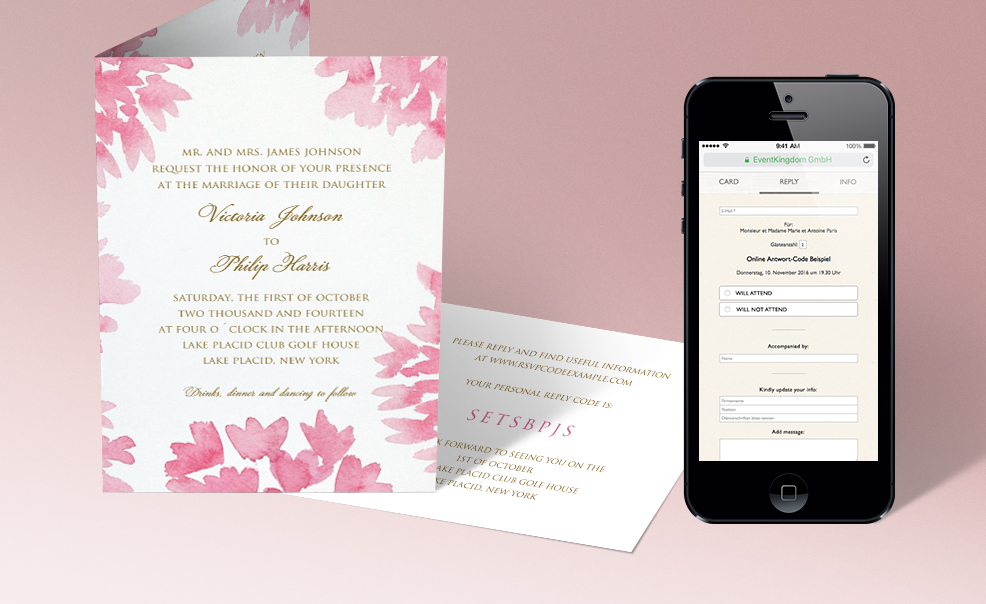
Folded card example with extra reply card
If you are interested in design services, we have wonderfully talented designers, who can help.
In addition to assisting with the reply codes and setting up the online reply management we offer other helpful services such as:
We look forward to working with you!
Patrick von Ribbentrop